Fix · soft-close stopped working
Soft-close drawer not working?
First check whether the slowing mechanism is a separate damper or built into the runners. A loose or damaged add-on can be the problem while the slides still work. If you cannot identify the mechanism, start with accessible mounting and engagement checks before choosing replacement parts.
Find the next check for the closing mechanism
Start with where the mechanism is fitted. You do not need its model number to begin, and “Not sure” gives you a useful inspection step.
The interactive Planner needs JavaScript. The guidance on this page remains available below.
Separate damping from the drawer’s other functions
Soft-close slows the final movement. Pulling itself shut is self-close; opening when pressed is push-to-open. These functions can be combined, but they are not interchangeable. Use the opening and closing behavior guide if the symptom is unclear.
Note what changed: the drawer closes without slowing, the damper no longer catches, or movement stops before closing. If the drawer physically stops short, follow the incomplete-closing checks as well. A jam can prevent the mechanism from reaching its working position.
Locate the part that provides soft-close
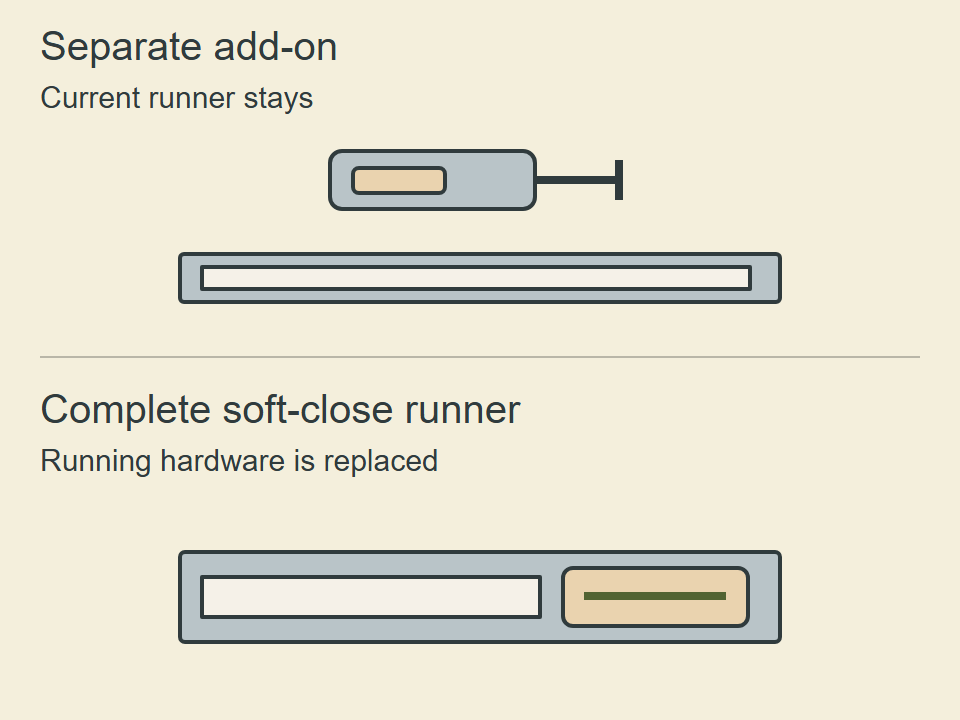
A separate damper may act on a catch or trigger as the drawer nears closed. Look for that separate unit and how it engages. If soft-close is built into the runner, check the runner and its attachments using that system’s instructions. A concealed mechanism is not proof of an integrated failure.
Manufacturers offer different arrangements. Blum documents a compatible BLUMOTION addition for METABOX; Accuride documents soft-closing behavior in its 3832EC slides. These examples do not establish that a generic damper fits either system.
If there is a separate damper
- Look for an accessible fixable issue. Check a shifted mounting, an obstruction and whether the catch meets the device as intended. Use the exact instructions for any adjustment or reset; do not force a small catch into a guessed position.
- Check the running hardware separately. Does the drawer otherwise move normally? If the runner also binds or is damaged, do not treat replacing the damper as the whole repair.
- Separate visible damage from an unexplained failure. A damaged damper with otherwise serviceable runners supports a component repair, subject to an exact compatible match. If it still fails with no clear damage or fixable issue, confirm the intended mechanism and replacement before ordering.
Compare the part’s identity, attachment, engagement and supported drawer setup. Unknown compatibility is a reason to check, not a reason to replace every slide. The adapter-versus-slides comparison explains what each option retains or replaces.
If soft-close is built into the runners
Check accessible obstruction, loose fittings, seating and alignment first. Correct a reported installation issue and retest before judging the mechanism. Follow the adjustment guide alongside the exact model’s instructions.
If the built-in function still fails after those checks, identify the running hardware. Compatible replacement of the same type may be appropriate for identified conventional slides. Metal-sided and proprietary drawer systems require the manufacturer’s supported repair or replacement; a similar-looking generic rail is not confirmation of fit.
If a brand or model marking is missing, record the visible attachment and runner details. Keep the result conditional until the exact system and compatibility can be checked.
Retest the complete operation
After the specified repair or adjustment, confirm smooth travel and controlled closing with the drawer correctly engaged and required fixings secure. Retain any opening or closing functions you use, including push-to-open. Use the chosen system’s requirements for load, engagement and operating space; repeated slamming is not a reset procedure.