Identify · start with what you can see
Identify old or unfamiliar drawer slides
You do not need a brand name to start. Compare the box and the parts that guide it. The Identifier helps establish the hardware type before asking whether you want to fix, replace or improve it.
Match the visible construction
Use “Not sure” when you cannot see enough. A tentative resemblance should not become a confirmed model or a replacement promise.
The interactive Planner needs JavaScript. The guidance on this page remains available below.
Keep these two arrangements separate
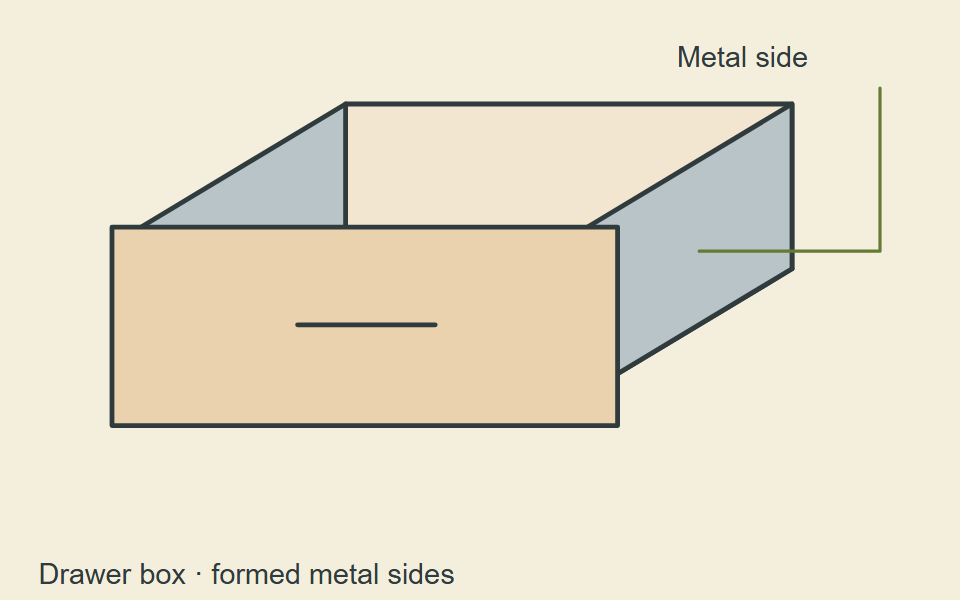
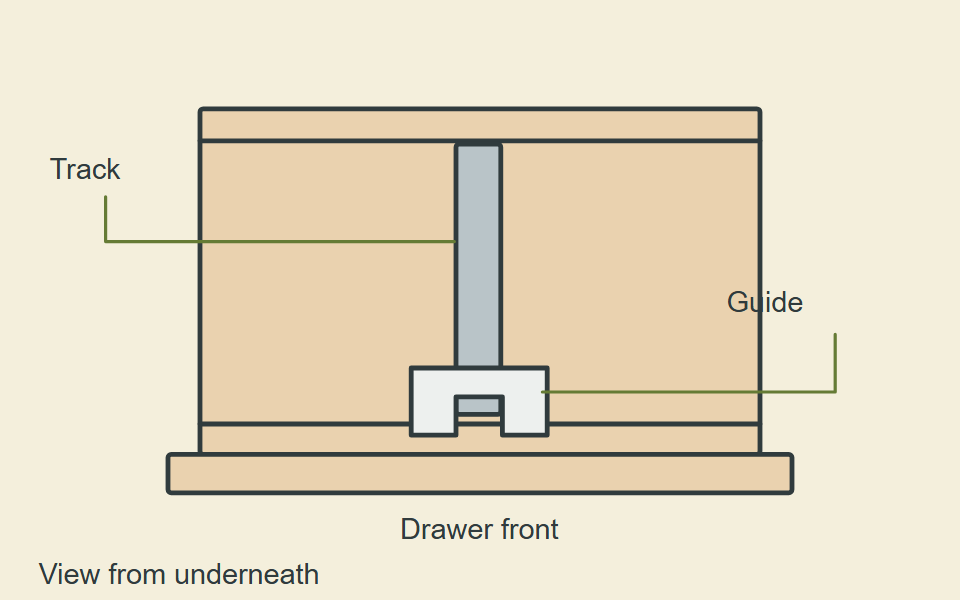
For a broader illustrated reference, see drawer slide types. For older wooden arrangements, compare wood runners and furniture center tracks.
What to record when there is no clear name
- The overall layout: parts on the sides, a central track, or runners beneath the drawer. Location is a clue, not proof of a particular system.
- The moving parts: nested metal sections, visible wheels, a guide on a track, or wood running against wood.
- The attachments: front catches, rear brackets, sockets, hooks and the surfaces they attach to.
- Every readable marking: copy letters, digits and suffixes exactly. Keep a model or part code separate from an explicit length marking.
- The functions: record how far the drawer opens, how it closes and whether pressing the front releases it.
Keep your own photos of the complete arrangement and close-ups of markings. Include the corresponding piece it engages with, not just a detached broken fragment. If removal is needed to see more, find the release method first; do not force it.
Recognition is a starting point for compatibility
Once a manufacturer or system is identified, compare its documentation with the exact runner and attachments. A brand name alone does not establish the version, size or compatible replacement part. An isolated number may be a code rather than a measurement.
For obsolete hardware without original documentation, a specialist’s matching-part information can help. Compare the full arrangement and required dimensions; avoid fitting an unrelated guide or rail merely because it looks close.
If it remains unidentified
Keep the uncertain details open. You can still separate a damaged small component from a complete running assembly, record accessible measurements and check whether a suitable complete replacement can be mounted.
Use the replacement route when replacement is your aim. For a current symptom or a different goal, start the Planner. The Identifier above also asks for your task after identifying the family or retaining the older/unknown route.